 Rafael Baptista
A good router with the good parts switched off
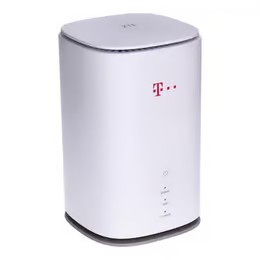
The ZTE MF281 is a 4G router that was sold under the Telekom brand. The hardware is better than the operator firmware lets on: decent antennas, a Qualcomm Atheros QCA9563 with 128 MB of RAM, 128 MB of NAND flash, dual-band Wi-Fi with a separate 802.11ac radio, and an LTE card. But it was carrier locked and only did what the operator wanted it to do.
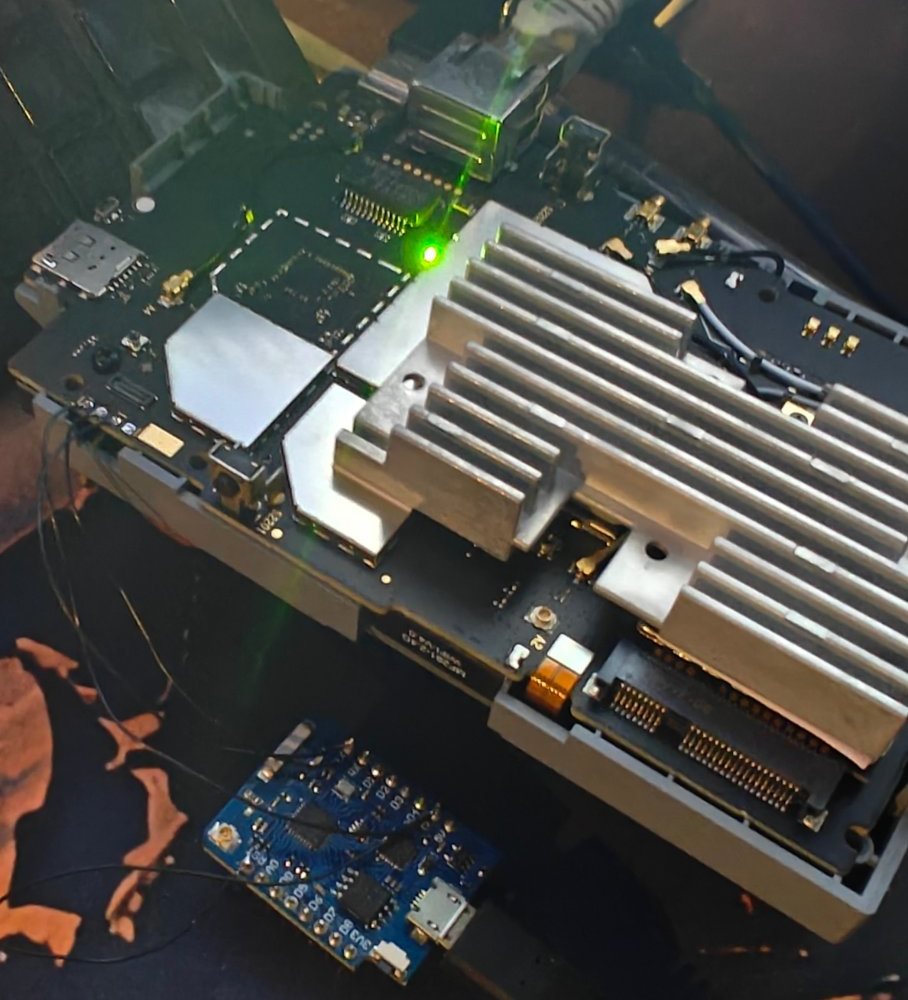
OpenWrt supports it, so I opened it up, got onto its serial console with a Wemos D1 mini and replaced the stock firmware. Now it is carrier unlocked - any SIM goes in - and it is a normal Linux router I can do whatever I want with. Thanks to the good antennas, one job it does very well is working as a Wi-Fi repeater.
The tools
- A Wemos D1 mini as a 3.3 V USB-to-serial adapter. Its USB chip normally talks to the ESP8266 on the board; with the ESP8266 held in reset, the TX/RX pins pass straight through to the router. No separate adapter needed.
- Thin wires soldered to the router's serial header.
- A serial terminal (PuTTY or
screen) and a TFTP server on the laptop. - The OpenWrt images for the ZTE MF281: an initramfs image to boot from RAM and the factory image to install.
Guide: OpenWrt on the ZTE MF281
This follows the installation steps in the OpenWrt commit that added the MF281 and the OpenWrt device page. Opening the router voids the warranty and a mistake can brick it - only do this on hardware you own.
1. Find the serial header
Next to the SIM slot is an unpopulated connector with four pins, from the SIM side: GND - RX - TX - 3V3. Solder wires to GND, RX and TX. Do not connect 3V3.
2. Turn the Wemos D1 mini into a serial adapter
- Bridge
RSTtoGNDon the D1 mini so the ESP8266 stays in reset and leaves the serial lines alone. - Router TX to D1 mini TX, router RX to D1 mini RX - straight through, because you are talking to the USB chip behind those pins, not to the ESP8266 - and GND to GND.
- Leave the D1 mini's 3.3 V pin unconnected; the router has its own power.
3. Open the console and stop the bootloader
The console runs at 115200 8N1:
# Windows: PuTTY, Serial, COMx, speed 115200
# Linux:
screen /dev/ttyUSB0 115200
Power on the router and interrupt autoboot when U-Boot asks, so you land at its prompt.
4. Boot OpenWrt from RAM over TFTP
Give the laptop the address 192.168.1.66, connect it to the router's Ethernet port, and serve the OpenWrt initramfs image from the TFTP server under the name speedbox-2.bin. Then, in U-Boot:
setenv serverip 192.168.1.66
setenv ipaddr 192.168.1.154
tftpboot 0x84000000 speedbox-2.bin
bootm
Nothing is written to flash yet - OpenWrt now runs from RAM, so this is the moment to look around and back up.
5. Back up the stock flash
Before writing anything, copy the original partitions off the router. cat /proc/mtd lists them; dump each one to /tmp and copy it to the laptop straight away (the RAM is not big enough to hold everything at once):
cat /proc/mtd
dd if=/dev/mtd0 of=/tmp/mtd0.bin
# copy it off with scp, delete it from /tmp, repeat for the next partition
That backup is the only way back to stock later.
6. Write OpenWrt to the NAND
Copy the OpenWrt factory image to the router with scp and write it to the firmware partition:
scp -O openwrt-*-zte_mf281-squashfs-factory.bin root@192.168.1.1:/tmp/factory.bin
mtd write /tmp/factory.bin firmware
Reboot, and the router starts OpenWrt from flash. Later updates go through the normal OpenWrt sysupgrade in LuCI.
Good to know
- The LTE card (an ASR1826) runs its own small modified OpenWrt. From the main system you can install
adbwithopkgand get a root shell on the modem withadb shell. - The LEDs on the front are driven by the modem, not by OpenWrt, so they cannot be controlled from LuCI.
What it does now
- Carrier unlocked: any SIM card works.
- Full OpenWrt: firewall, VLANs, VPN, packages - whatever the job needs.
- A strong Wi-Fi repeater thanks to its antennas.