 Rafael Baptista
Why did I want a freenas server?
When I had Xigmanas it was very limited, the things it could do and also the hardware was not the best. What needed to be better with the Freenas server was the following:
- CPU cores - No more problems with high CPU transferring files or watching a movie from the NAS.
- Ram - Enough RAM because I only had 4GB, it was slowing things down.
- Gigabit - Faster transfer speeds, the laptop only had FastEthernet.
- Fiber - Possibility to add Fiber connection if I need even more transfer speed.
- Hard Drive Space - 8TB or more hard disk space.
- DAS expansion - Possibility to add more hard drives with a DAS to the existing vdev's in the future.
- Disk redundancy - So I don't need to worry about losing data and hard drive failures.
- Virtual machines - PiHole, Websites, Minecraft server, MagicMirror server and other things.
What hardware did I choose?
To answer this we first need to know how much storage I need.
I had about 7TB of data in various 1TB drives so I would need at least 10TB to have some room before I need to add more hard drives or change to bigger hard drives to not run out of storage.
For hardware there were some options for me and none were pre-made NAS devices like Drobo, Qnap, Synology and other brands, which were way more expensive than a second hand server with second hand SAS hard drives.
Some of the refurbished servers were:
- HP DL360 G7 - 2.5" 8 Bay
- HP DL380 G8 - 2.5" 8 Bay
- Dell R630 - 2.5" 8 Bay
- Dell R510 - 3.5" 8-12 Bay
- Dell R720XD - 3.5" 12 Bay
As you may have noted I only put how many bays they have because the other specs were very similar, something like these specs:
- 2x Xeon 2.4-3GHz - 8 to 12 Cores
- ECC 64-128GB total ram
- Perc H700 raid controller
- 8-12 Bay for hard drives
- Server rails included
- No Caddies or Hard drives included
All refurbished server websites came around 1000€ or more depending on the configuration, which is way more than I had budgeted, so to eBay we went and I found a couple of Dell servers in the UK for around 200€ with shipping which was great for me. Almost got a Dell R510 12 bay but I was too late.
I settled on a Dell PowerEdge R510 8 Bay with 2x E5620 Xeon Quad-Core 2.4GHz and 64GB RAM, server rails included. The only things I needed to buy were:
- 2x Dell Perc H200 for 45€ each with IT mode so you can manage each disk separately which is needed for Freenas
- 2x mini SAS to 4 Sata SFF-8087 for 15€
- 8x 3.5" Dell Caddies with screws for 45€
- 10x 3TB SAS hard drives for 200€
I will not be going to explain why I chose RaidZ3 or why I did some of the things I did, but you can always ask me if you really need to know.
As you can see I used 2 controllers so I can use 8x 3TB SAS drives in RaidZ3 which gives me around 12TB of usable space and the second controller for 5x 120GB Sata SSD's for the virtual machines in RaidZ2. You may have seen that I only have a server that can only hold 8 hard drives, but there is some room between the power supplies where you can cram 2 SSD's stuck to each other and between the fan and power supply you can cram another 3 SSD's stacked on each other. I did this because I wanted faster speeds for the virtual machines as they will see a lot of abuse. Later on if I want I can use an SAS expander and some cables to connect a DAS to the existing controllers that can manage more than enough drives.
Why did I choose Freenas?
There were 3 options for me and those were:
- Freenas
- Truenas
- Proxmox with Freenas virtualization
I've tried Proxmox and it's a great option, however I had no more space to change things up; maybe in the future I will get another server with Proxmox and put all my virtual machines on that since Freenas doesn't need all those cores. After having a Xigmanas server I found out that the next step would be Freenas or Truenas, but Truenas was still pretty new so I chose Freenas as the winner. On that old laptop with three 1 terabyte drives for Movies and Data, directly connected to the network, it worked fine as long as I didn't oversaturate the LAN connection or else it could slow things down drastically. Also the drives had no ventilation so things got a little hot, that's why I made an "Server Rack" out of some wood. Without hard-drive redundancy for any possible failure and a lot of data filling the drives pretty quick, that's when I decided I had to upgrade to keep my data secure and save.
Freenas setup.
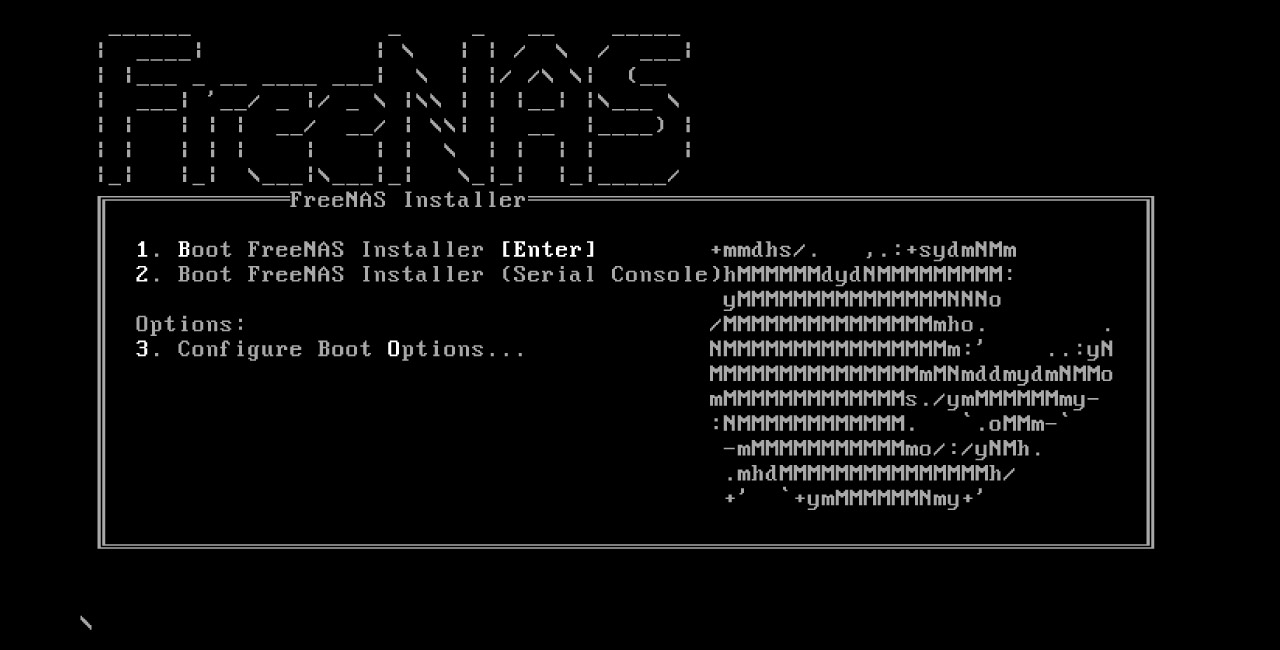
- Select Install/Upgrade.
- Select the SSD with the spacebar.
- Hit Ok.
- Enter a root password.
- Hit Ok.
- Wait for the OS to install.
- Reboot the Server.
And we are basically done. I could explain everything but that would mean I'd need to create a tutorial for everything. Long story short I created different vdevs from the various drives and made different folders in smb that only certain users can see and write/read to; the movie folder however is read only, we don't want to take risks there.